

Exploring Tools to Understand and Combat Misinformation
For this blog post, I was given an assignment to look at two tools that help teach people about misinformation, including how it spreads and how it is made. One of the tools I had to use was News Literacy Project’s RumorGuard. For the second part, I had to choose from three games that are designed to help people understand the tricks used in false content.
Out of the three games, I chose to write about Fake It to Make It. While all of the options had something to offer, this one caught my attention the most. I will explain why and go over how each tool works, what it teaches, and how well I think it helps people better understand and recognize misinformation.
RumorGuard

RumorGuard is a tool created by the News Literacy Project that helps people fact-check online claims and learn how to spot false or misleading information. The site is simple to use. It shows a series of popular rumors or trending claims, and each one is broken down into easy steps that explain whether it is true or false. It includes the facts, the source, and why the claim might be spreading in the first place. There is also a feature that shows if something has been shared a lot online, which helps show how fast misinformation can move. Here is a recent example as of the time of this post:
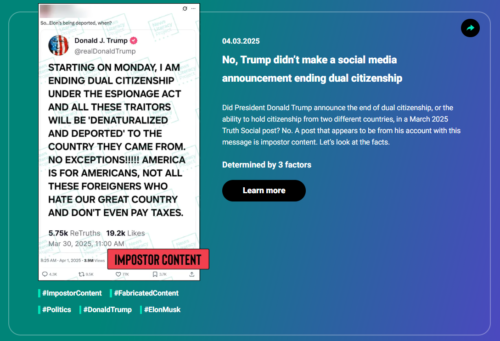
I think RumorGuard is a great tool for helping people understand how to question what they see online. It seems very user-friendly and gives clear, short answers with good sources. It also teaches people how to spot common signs of misinformation, like emotional language, missing sources, or claims that seem too wild to be true. What stands out most is that it does not just say something is false, it explains why.
Using RumorGuard made me realize how helpful it is to slow down and look at all parts of a claim before sharing it. The way it breaks things down step by step really helped me see how easy it is to miss warning signs. I think tools like this work well because they let people learn by doing instead of just being told what to believe. Along the same vein, I was able to find this simple checklist from CSI Library, which offers practical steps for spotting fake headlines quickly.
Fake it to Make it
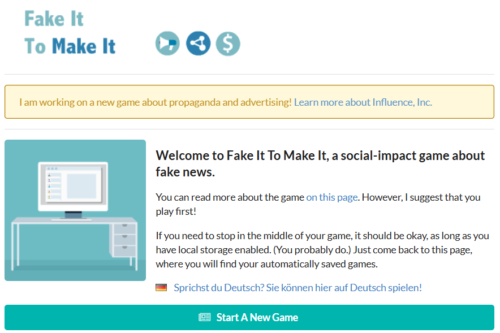
In this game, you set up a fake news site. You decide what kind of stories to post, who to target, and how to keep people clicking. You also watch how your choices affect your money and reach. The game teaches how emotional headlines, false claims, and carefully chosen images can be used to get attention. It also shows how fast things can spread once people start sharing them. Even though it is a game, the steps and choices feel very real. It helped me see how misinformation can be planned and how easy it is for people to fall for it.
Out of the three games I tried, I chose Fake It to Make It because it had more depth than the others. The other two were simple and easy to get through, but this one gave me a better look at how fake news is built and shared online. It showed how headlines are chosen, how people are targeted, and how money is made from clicks. I didn’t like that the game was timed, since it made me feel rushed. Still, I chose it because it gave a more complete view of how false content spreads and why people create it in the first place.
I think Fake It to Make It does a good job of showing how misinformation works, especially when it comes to making money off of fake stories. It puts you in the shoes of someone running a fake news site, so you start to understand how choices are made to grab attention and go viral. By having to pick headlines, target groups, and manage money, you see how each step helps spread false information. This makes the lesson feel more real. It’s not just telling you what’s wrong, it’s showing you how and why it happens. Even though the game is fast-paced, it still gave me a better understanding of how easy it is to mislead people when profit is the goal.
Summary
As for educational games in general, I think they can be a useful way to help people learn. They make learning more hands-on, which can help the message stick. People are more likely to remember something when they get to interact with it, instead of just reading about it. Games also give you the chance to test out choices and see what happens, which can lead to better thinking skills. I don’t think games alone can stop misinformation, but they are a good starting point for helping people understand what to look for and why it matters.
Tools like these or even simple articles like this one offered by YES! Magazine give even more ideas for how to teach media literacy to different age groups, especially younger ones who may be seeing false content every day. RumorGuard and Fake It to Make It further this education in a fun way and are a good way to start learning how to spot false content. The more people use them, the better chance we have at slowing the spread of bad information.
Making media literacy fun and interesting is a step in the right direction, but making it easy is the real game changer. Consider using a browser extension that gives you real-time RumorGuard-like information on the content you are actively viewing.


